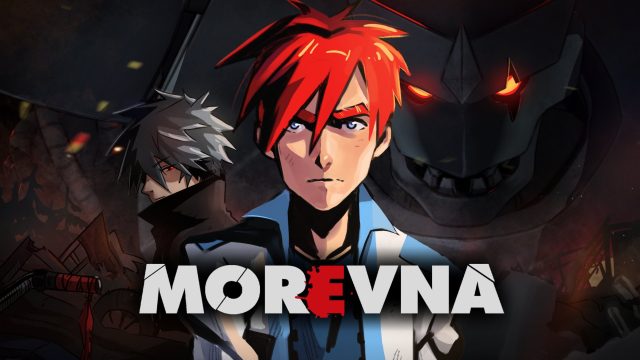
Almost six months passed by since the last snapshot – half of a year. You won’t see much changes in this snapshot – few shots drawn, new lightning model for the battle episodes…
What have been really done during that period? The best way to answer the question is to watch the posts on the blogs between those two distant, but so similar snapshots. In short – it’s a setting infrastructure. Git, wiki, feeds, documentation… All those things necessary for successful collaboration. Workflow polishing, characters development… As you see from the project status post the Demo is still a long way to go. Do we wanna go the whole way now? Sure, we still do.
Ah, my bad, changes, changes again. ^_^” During the past months Ivan character have been heavily reworked. And yeah, some parts of the Demo need to be corrected. But… this is The Path. I promise this is the last significant change in the characters appearance. Believe me. Or at least try to. ^___^
Synfig Studio packages have been updated. Please grab them from the packages page.
Major reasons to upgrade:
Integrated support for “magick++” render target.
More info:
The “magick++” render target could be used for rendering gifs. During the discussions on WIPs we often use gif files to quickly show the animation previews. Gif files are also good when we want to integrate small pieces of animation as a part of some tutorial page for illustration purposes. The advantage of usage “magick++” render target over standart “gif” render target is the significant difference in speed and resulting image size.
Here’s a video about merging two similar images with different size/rotation in Synfig Studio. One image contains corrections for another, so it’s important to properly combine them together. Synfig has a few tricks allowing to handle this task with grace.
OpenSource software could evolve really fast and dramatically change behavior from version to version. Those changes could produce regressions. That’s why it is necessary for all Morevna Project members to use the same versions of production software.
Blender is included in the repositories of all popular linux distributions, but usually without FFMPEG support. Though, it is easy to obtain appropriate binary from blender.org official site. Situation with Synfig Studio is worse. We’re using development version from SVN, because it contains some nice recently developed features and have more bugs fixed. From time to time it is happens what we discovering new bug, and if it is fixed we are not waiting for the release and jumping to next SVN version.
During the drawing of keyframes for scene 20 we decided to concertize the motion of Ivan by using stickman. Generally, making stickman in Synfig is a simple task, but this one – with forward kinematic.
We made two videos about the process. First video is about finishing making stickman in Synfig Studio – only one hand left, and the head. Next one is about animating the top part of the stickman, Legs are already set up, animating the rest.
Sorry about the files size, but on YouTube those videos look just awful.
EDIT: There is a simpler approach of making stickman exists – without the need to use Radial Composite Converts and Rotate layers. Anyway, here’s two synfig stickman templates: stickman.sifz and stickman-simple.sifz. Enjoy!
When you are about to contribute to any project the main question is where to begin with. Working in collaboration on the Morevna project implies the use of various open-source tools. Git, wiki, make… All this stuff could confuse even the ones who are more or less familiar with open source development model. Also, to keep stuff in order and manage the project data effectively we should follow certain policies. This manual was written with the purpose to guide you into the depths of Morevna Project’s infrastructure and help to understand the main principles of contributor workflow.
Wondering what’s happening deep inside of morevnaproject right now? Meet the Morevna Project Underground Feed! Repository commits, wiki edits, blog posts and comments – every piece of information about project progress goes there. It is an easy way to track all changes made in different project areas for those who wants to be aware about every little change. Also, from now you will find a short version of Underground Feed on the right side of the morevnaproject.org blog. Stay tuned!
Developing a project it is necessary to clearly understand a consequence and relations between the different stages. For that purpose we made a graphical schema of production pipeline for Morevna Project.
Production Pipeline (click on image to enlarge)
Arrow, pointing from a task block A to a task block B, means what you need to complete task A before doing task B.
EDIT: You can download source OpenOffice.org Draw file here.